The Recipes & BOM (Bill of Materials) page allows you to create standard formulas for your menu items or semi-finished goods. This ensures consistent quality and enables automatic deduction of exact ingredient quantities when a product is sold or produced.
1. Managing Your Recipes
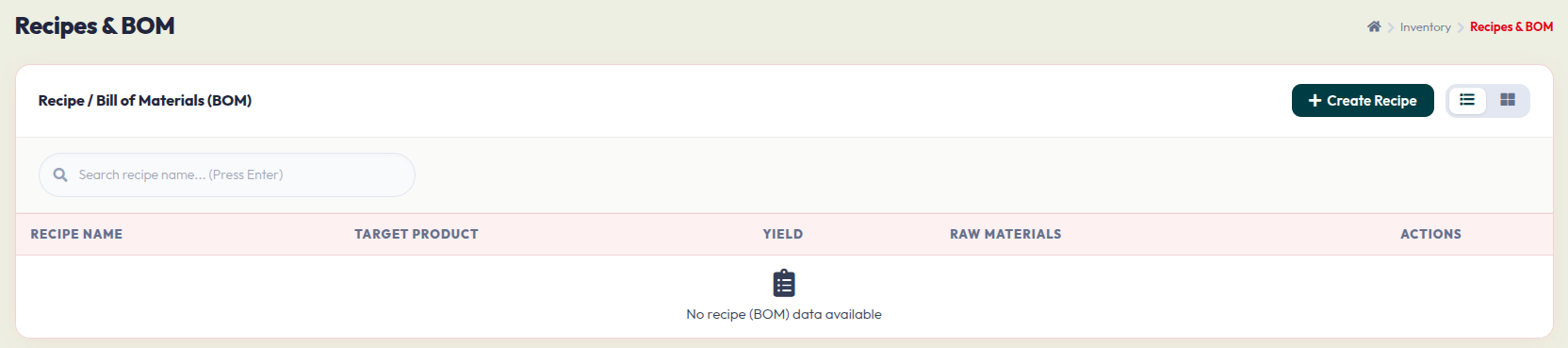
The main page provides an overview of all your configured recipes:
- Search Bar: Type in a recipe name and press Enter to quickly find a specific formula.
- Data Table: Once you add recipes, this table will display the Recipe Name, the Target Product it creates, the Yield (portions produced), and a summary of the Raw Materials used.
- + Create Recipe: Click this dark green button on the top right to start building a new formula.
2. Creating a New Recipe (BOM)
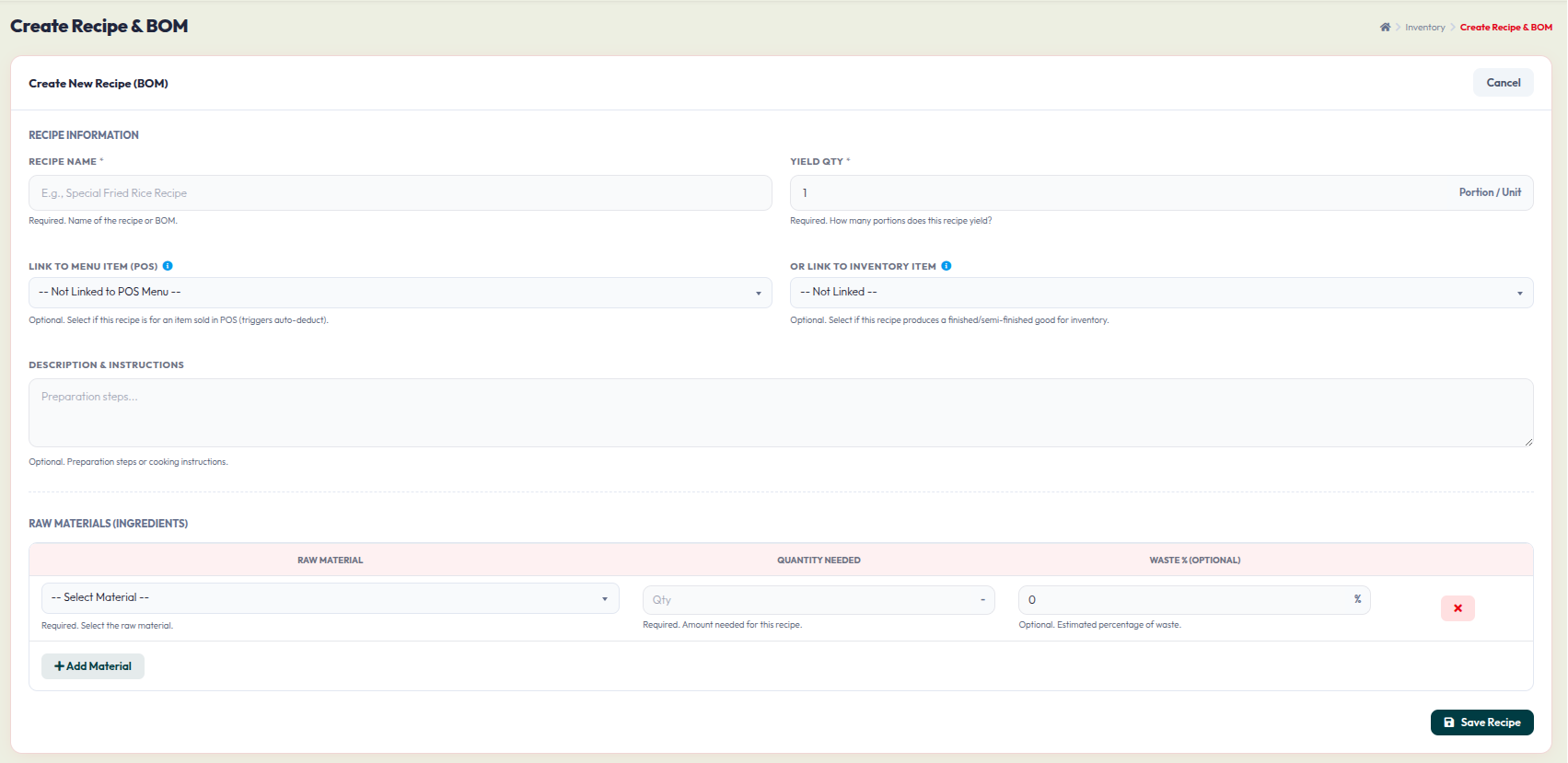
After clicking + Create Recipe, you will be taken to a detailed form. Follow these steps to build your recipe:
- Recipe Name: Enter a clear name for this formula (e.g., "Special Fried Rice Recipe"). This field is required.
- Yield Qty: Enter the number of portions or units this exact recipe produces (e.g., 1 portion).
- Linking (Optional but Recommended): Connect this recipe to a specific system item so stock deducts automatically.
- Link to Menu Item (POS): Choose this if the recipe is for a final dish sold directly at the cashier (triggers auto-deduction upon sale).
- Or Link to Inventory Item: Choose this if the recipe produces a semi-finished or finished good meant to be stored back in your inventory.
- Description & Instructions: Add optional preparation steps, cooking instructions, or specific notes for the kitchen staff.
- Raw Materials (Ingredients): This is where you list what goes into the recipe.
- Select the Raw Material from the dropdown list.
- Input the Quantity Needed for this specific recipe yield.
- Waste %: Optionally, input an estimated waste percentage if some of the ingredient is typically lost during prep (e.g., peeling, trimming).
- Click + Add Material to insert more ingredients into the formula. Use the red X button to remove an ingredient row.
- Click Save Recipe at the bottom right to finalize and store your Bill of Materials.