The Table Management feature is used to precisely record and organize the table layout across your restaurant. Think of this feature like a seating reservation system in a movie theater; your staff will know exactly which table numbers are empty, occupied, and the maximum capacity of guests who can sit there. This data is crucial to prevent overbooking and ensure Dine-In services run smoothly.
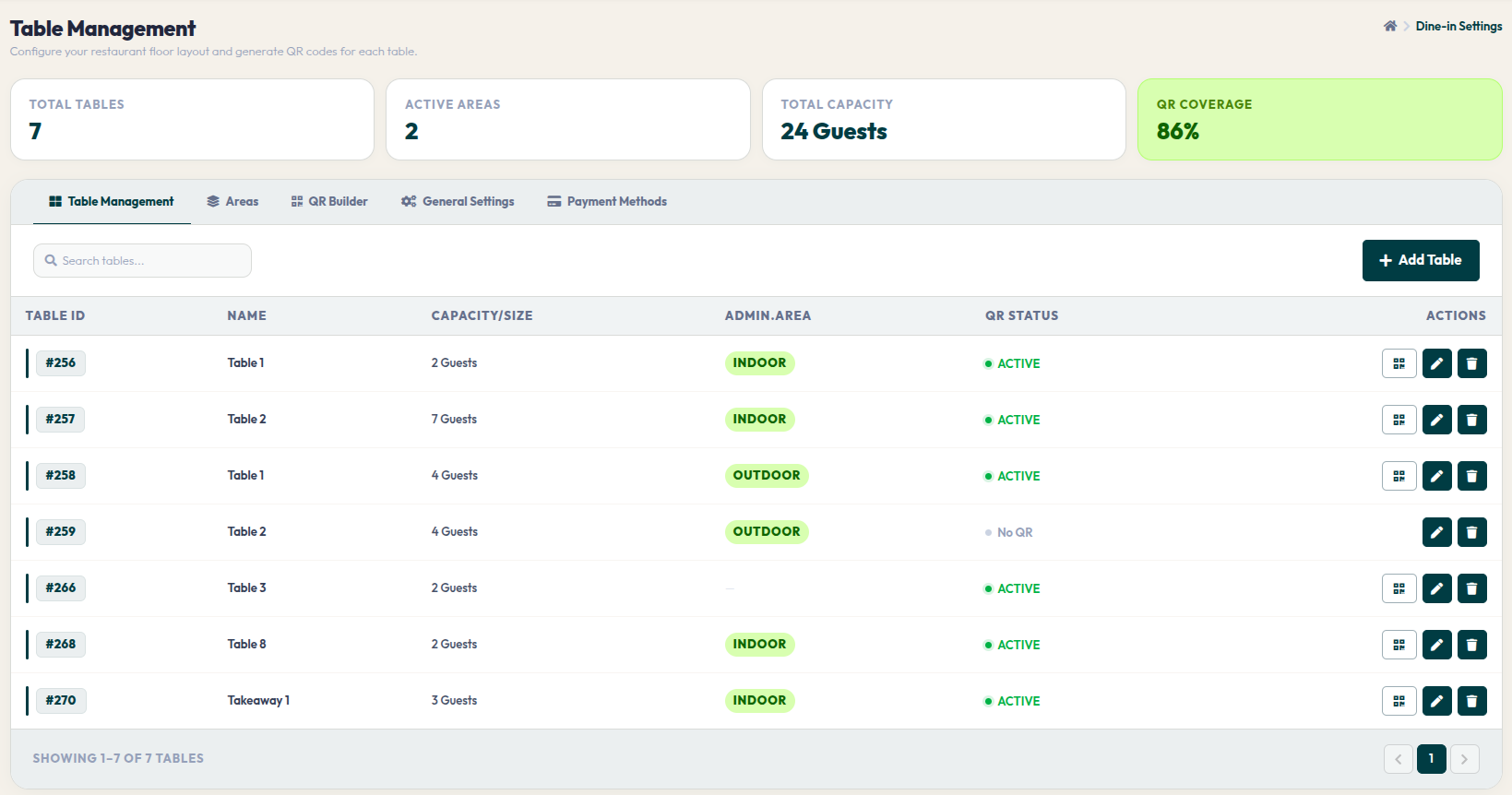
- Go to Orders > Dine-In Settings.
- On the Table Management tab, you can view a summary panel showing total tables, active areas, total guest capacity, and QR Code coverage ratio.
- Use the Search tables... field to find specific table numbers or names if you have a large dataset.
- Click the red + Add Table button on the right to input a new table.
- In the table list rows (ACTIONS column), click the QR icon to view the table's unique code, the pencil icon to edit capacity/names, or the trash bin icon to remove it from the system.
Neat table management is a crucial step to keep restaurant workflows efficient and comfortable for customers. With constantly updated data, you are ready to provide professional Dine-In services at all times.