The Payment Methods tab is used to configure which avenues are permitted for customers to settle their bills. Think of this menu as toll booth gates; you can open a digital self-payment gate via the customer's phone, or open a manual gate where customers approach the cashier staff to hand over cash. Full control over these methods synchronizes directly with the guest's application interface.
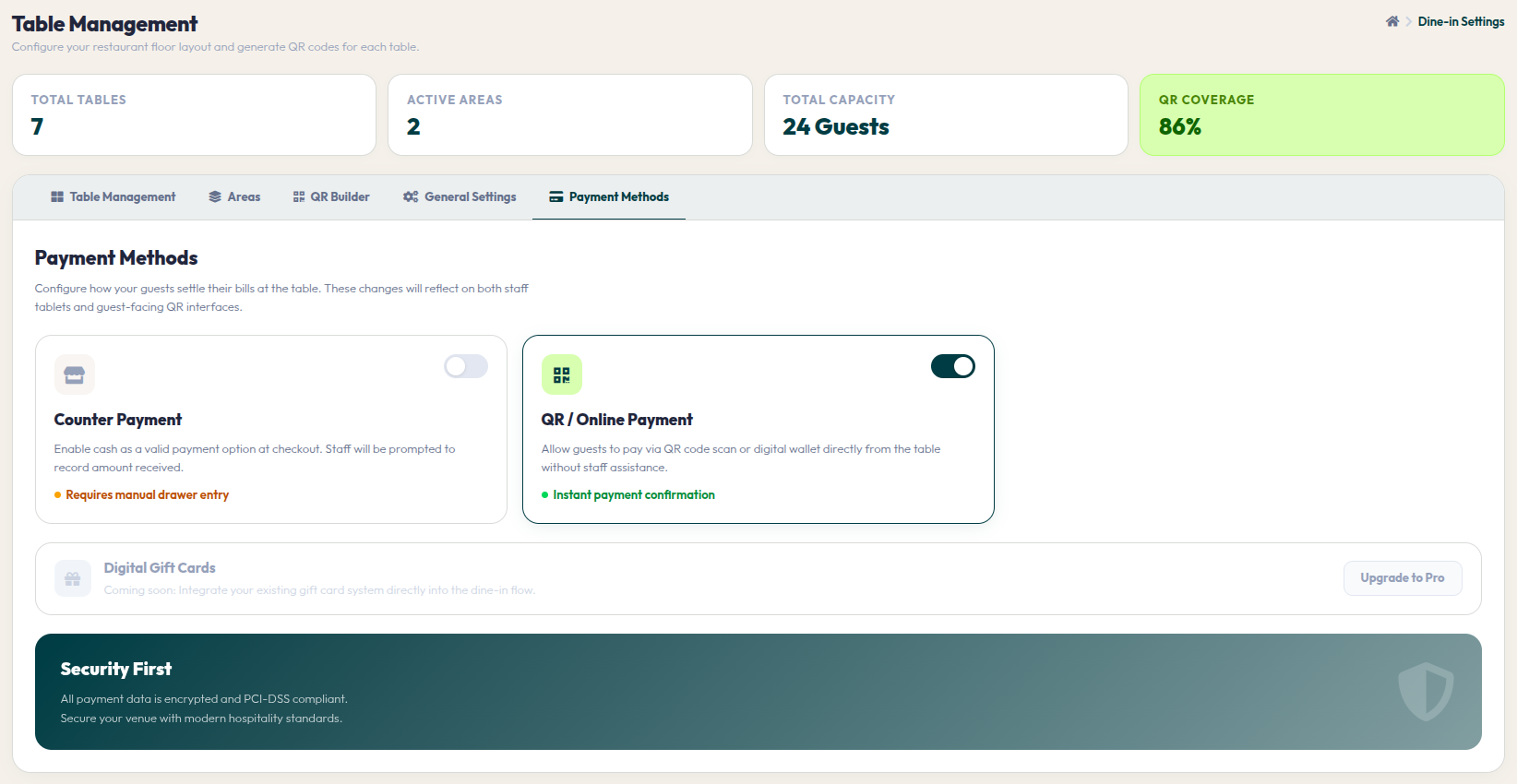
- Go to Orders > Dine-In Settings, and select the Payment Methods tab in the top row.
- The configurations you apply on this page will automatically alter the payment options on the staff's cashier tablet as well as on the guest's mobile checkout screen.
- Enabling Counter Payment: Turn this toggle on to make cashier payments (cash, physical EDC debit/credit cards) a valid option. Important Note: If the 'Pay at Counter (COD)' option in the General Settings tab is currently active, this toggle will automatically lock into the ON position.
- Enabling QR / Online Payment: Turn this toggle on to facilitate contactless transactions. Guests can settle their tabs directly from their seats using digital wallets, QR scans, or online Credit Cards without staff intervention. Payments will be instantly confirmed by the system.
Payment security and convenience are crucial aspects of customer satisfaction. By offering flexible yet secure options, you build strong trust with your customers. Keep updating your payment methods to stay ahead of the latest technology trends.