QR Builder is a built-in design studio specifically tailored for creating and printing ordering QR codes. Like creating unique license plates for cars, every restaurant table gets its own dedicated QR Code. When a guest scans this QR, the system instantly knows which table the order originates from, enabling a highly modern self-ordering (Order & Pay) experience without waiting for waiters to bring physical menus.
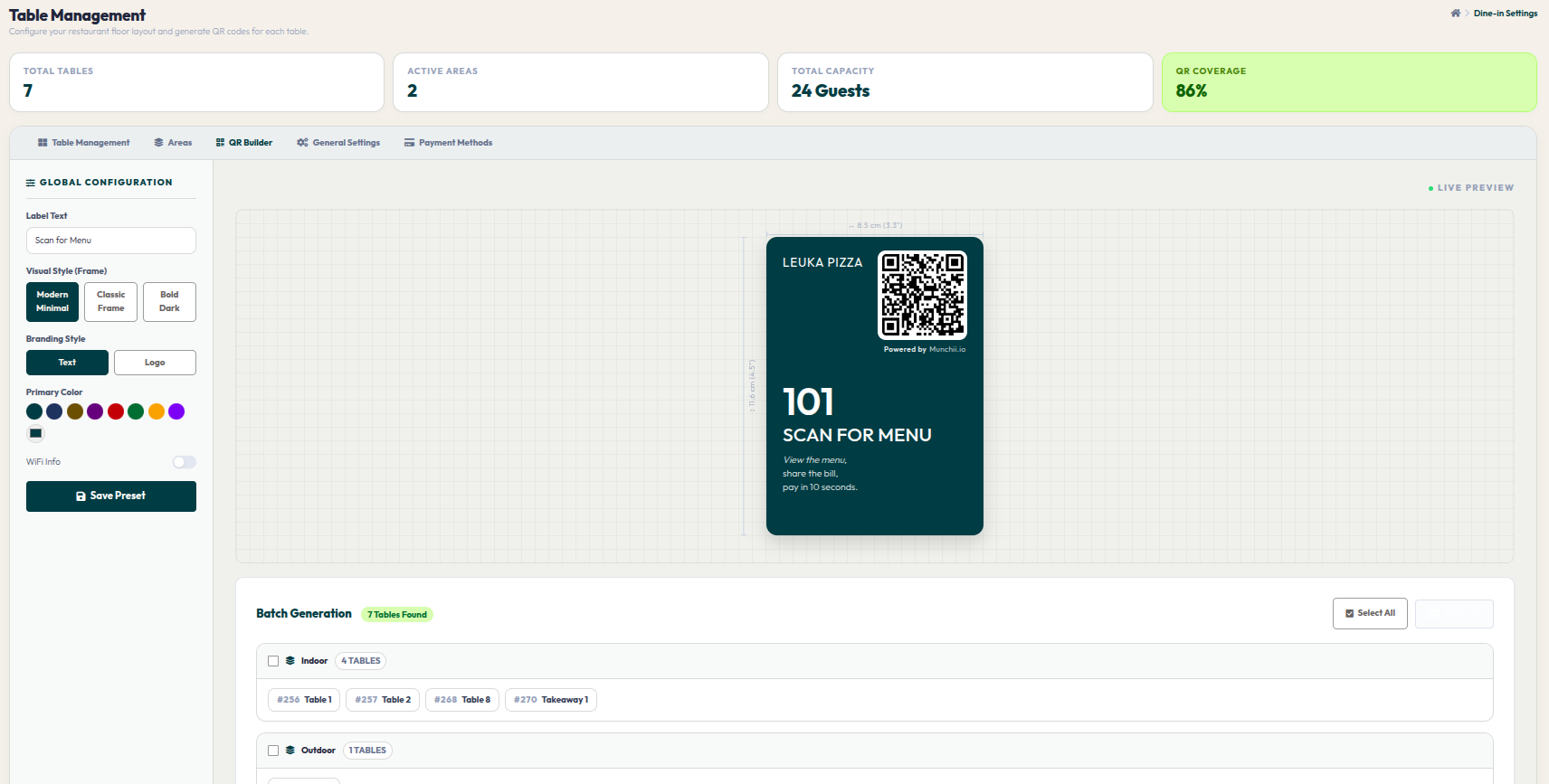
- Go to Orders > Dine-In Settings, then navigate to the QR Builder tab.
- In the left GLOBAL CONFIGURATION panel, set the call-to-action phrase in Label Text (e.g., "Scan to Order").
- Choose one of the 3 frame design options under Visual Style (Frame) (Modern Minimal, Classic Frame, or Bold Dark).
- Adjust your brand vibe in Branding Style and pick a theme color in Primary Color. Remember to click Save Preset so your design is saved as the restaurant's standard.
- Observe the visual changes you make in real-time on the LIVE PREVIEW canvas on the right.
- Scroll down to the Batch Generation section. You can print QRs for specific tables by checking their boxes, or click Select All to generate all restaurant QRs at once. Finally, click the download button to save the files in a print-ready PNG format.
A well-designed QR Code is not only functional but also adds a professional and modern touch to your guest tables. Start printing your custom QR codes and elevate your self-ordering experience today.