Every customer has a unique taste. The Add-on Options (Modifiers) feature provides the flexibility for customers to personalize their orders, such as choosing spice levels, adding extra cheese, or swapping milk types. Besides increasing guest satisfaction, paid modifiers are highly effective upsell strategies to automatically boost your restaurant's average revenue per order.
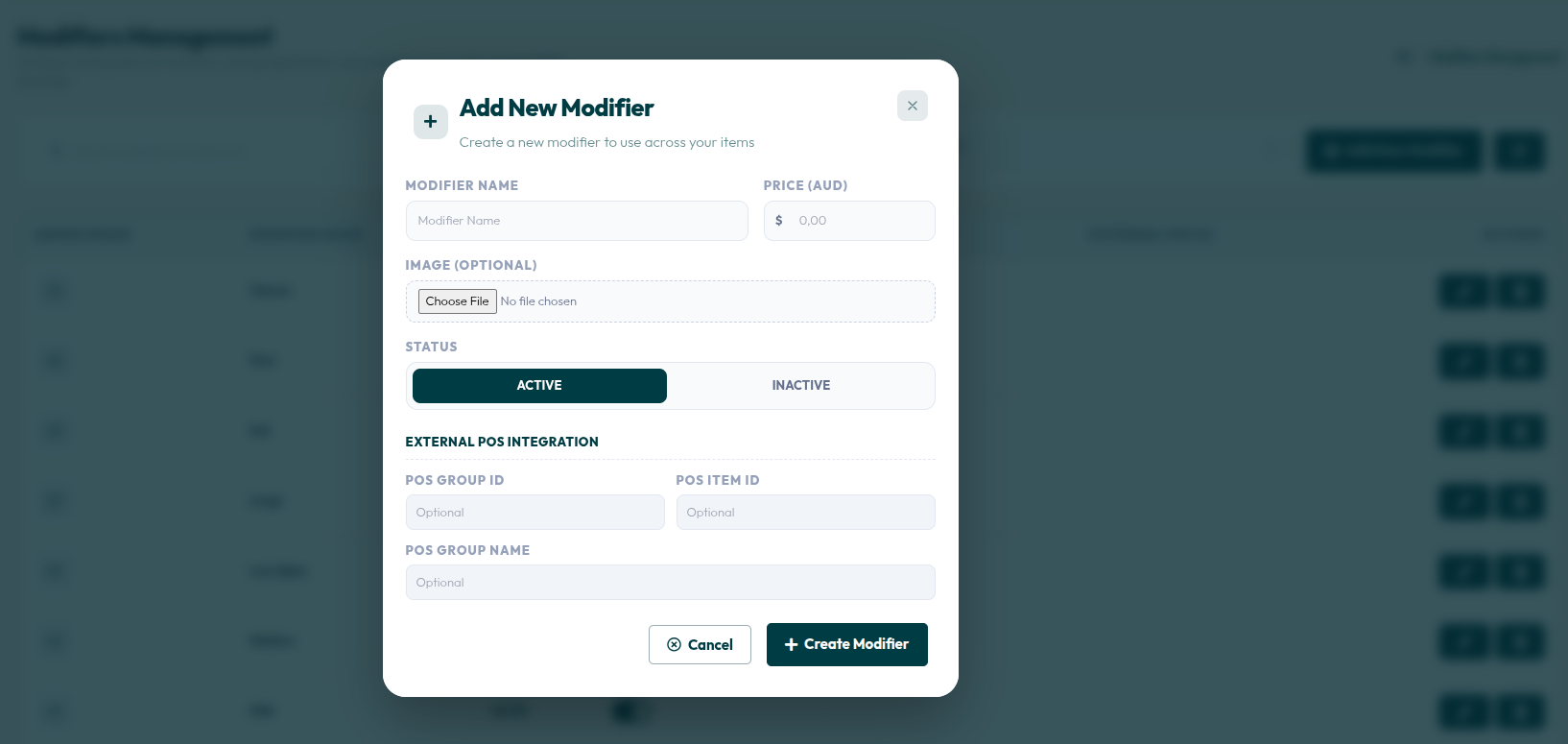
- Go to Menu > Modifiers.
- Click the red + Add New Modifier button in the top right corner.
- Enter the option name in MODIFIER NAME (e.g., Extra Egg).
- Enter the additional cost in the PRICE (IDR) field if the modifier is chargeable (leave blank if free).
- Select the Active option in the STATUS section.
- Click the + Create Modifier button to save the option into the system.
By giving customers the freedom to choose, you not only improve their satisfaction but also systematically create additional profit opportunities. Use this feature to highlight the uniqueness of your dishes!