Menu Categories or Groups are the primary containers for organizing your dishes, making them tidy and easy for customers to find. Think of these categories as chapters in a menu book; by grouping items like "Main Courses", "Beverages", or "Snacks", customers won't struggle to find their favorite dishes when ordering online. Smart grouping speeds up customer selection and helps kitchen operations stay structured.
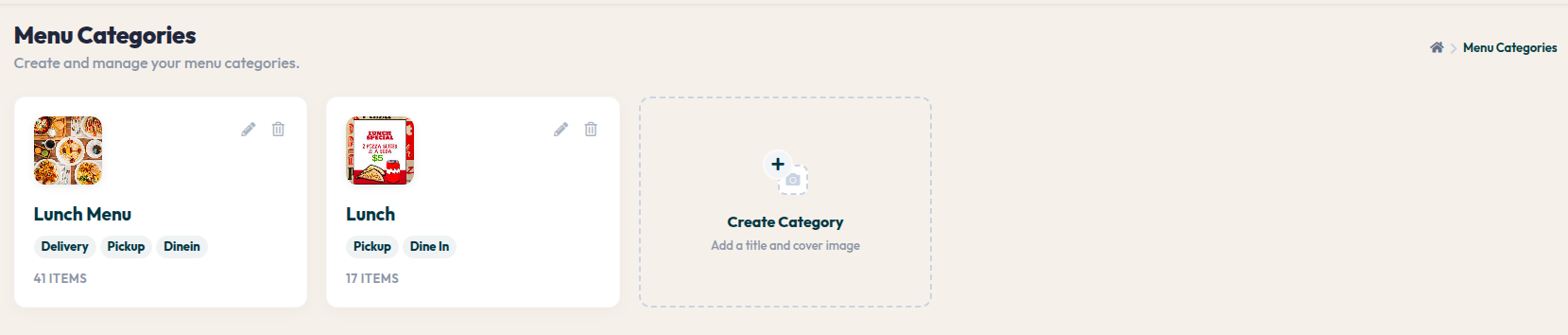
- Go to the left navigation menu Menu > Menu Items.
- Click on the dashed box labeled + Create Category to open the new group settings window.
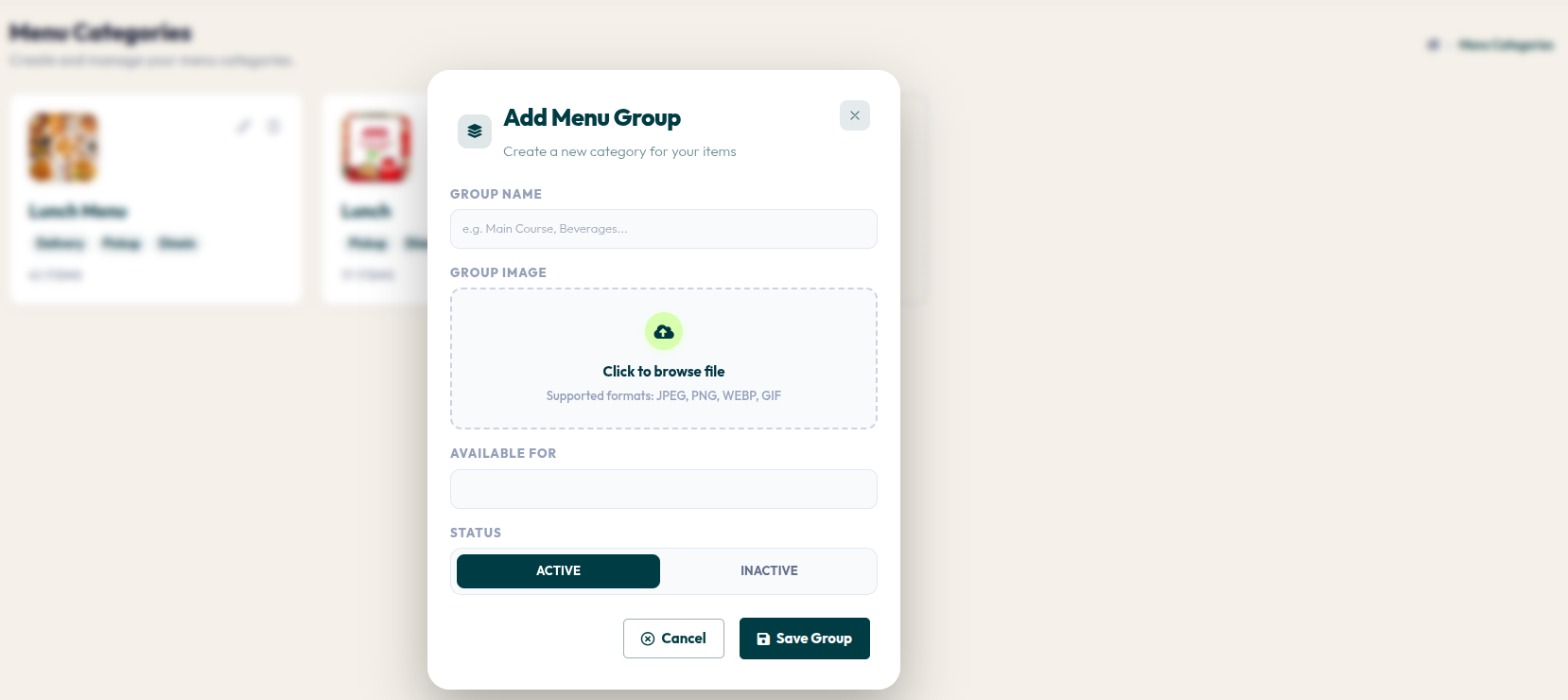
- GROUP NAME: Enter your category name (e.g., Specialty Dishes, Cold Drinks).
- GROUP IMAGE: Click the upload area to choose an appealing cover image for this category.
- AVAILABLE FOR: Select the service types that support this category (Dine-In, Pickup, or Delivery).
- STATUS: Ensure it is set to Active so this category appears instantly on the customer ordering portal.
- Click the red Save Group button to save.
Well-managed categories give a professional impression of your business. Remember to regularly update category images and statuses so that the customer experience on the Munchii portal always feels fresh and informative.