Daily Specials is a feature for setting up special pricing rules (such as happy hour discounts or day-specific promos) that run automatically. With this feature, you don't need to change prices manually; just set the schedule, and the system will apply the promotional pricing at the specified times.
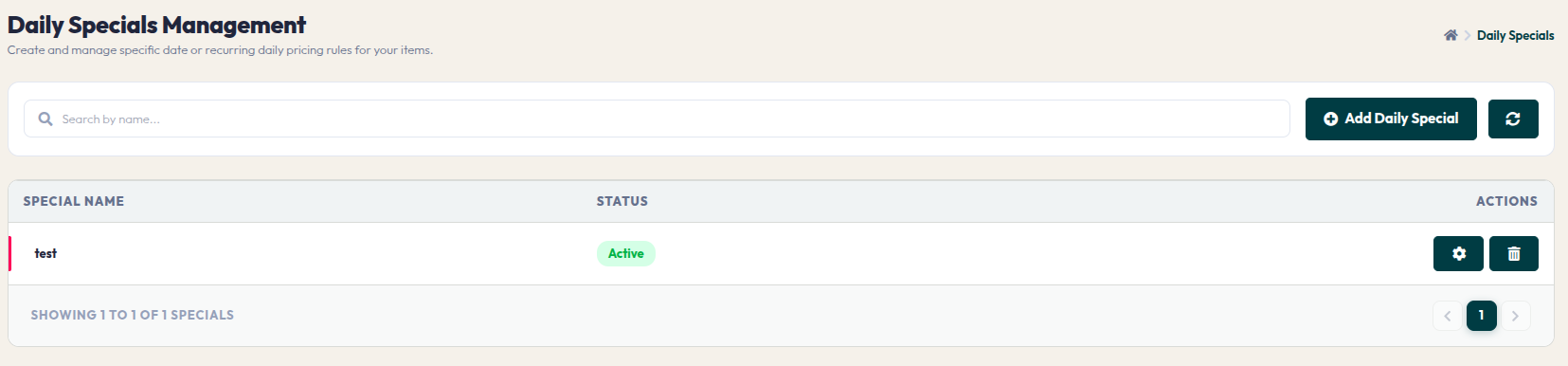
- Daily Specials Table: List of promotions created, showing the special name and its status.
- Add Daily Special (Pop-up): Click to create a new promo. Enter a SPECIAL NAME (e.g., Happy Hour Discount) and click Save & Continue.
- Detail & Schedule Page (Rules & Schedule):
- Edit Daily Special (Pop-up): Advanced pricing rule settings:
- Add Linked Items (Pop-up): Select specific menu items to which you want to apply these special pricing rules.
This feature is powerful for attracting customers during off-peak hours or specific days. Ensure the promotion schedule is accurate so the system operates according to your marketing plan.