Menu categories serve as the primary foundation for organizing your dish list. Think of these categories like aisles in a supermarket; neat groupings (such as "Main Courses", "Cold Beverages", or "Snacks") will greatly help customers find what they want quickly. Good menu organization not only enhances the online ordering interface but also streamlines staff workflow.
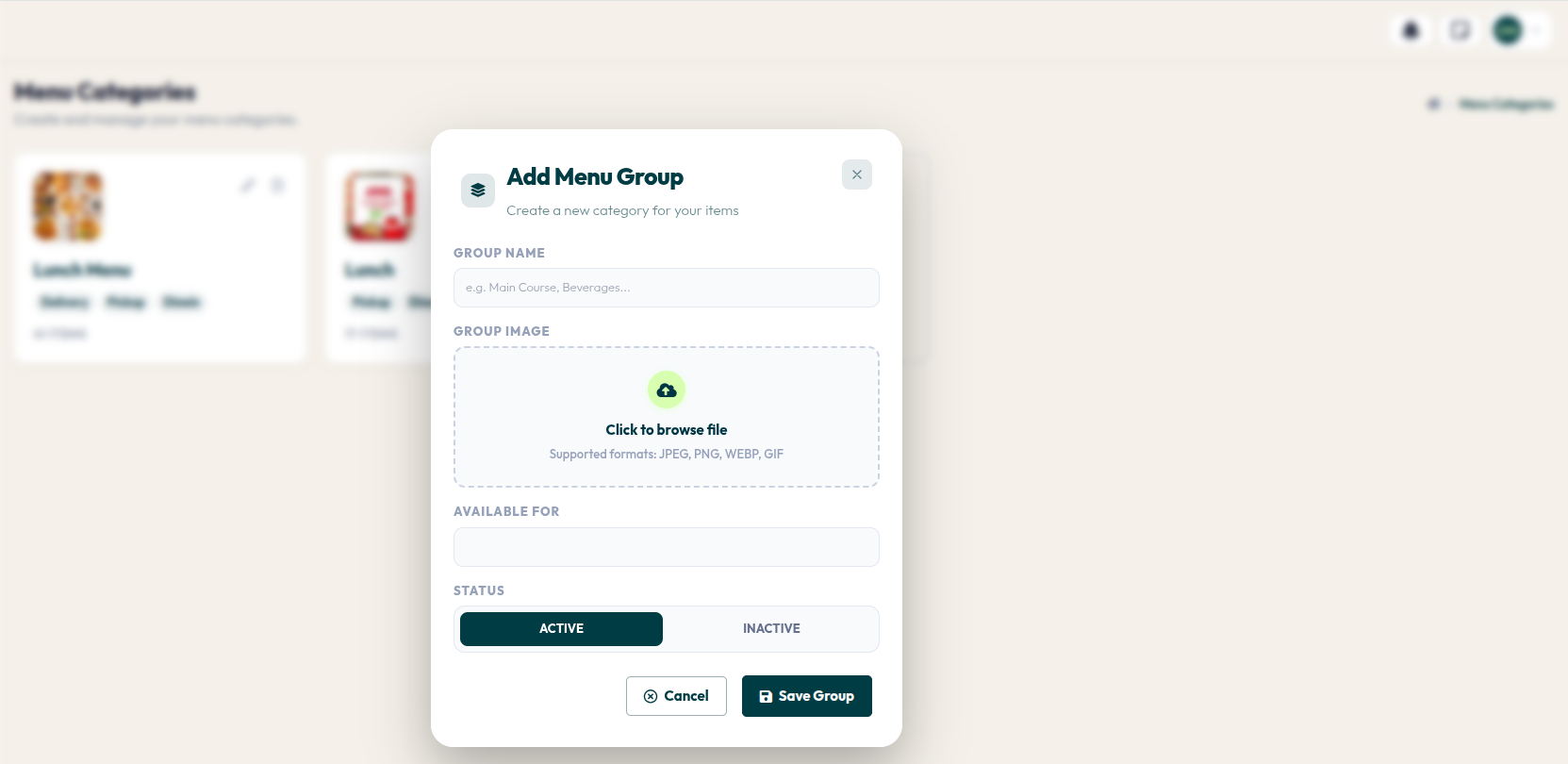
- Go to the left navigation menu Menu > Menu Items.
- Click the dashed card + Create Category.
- Enter the category name in the GROUP NAME field.
- Click the GROUP IMAGE area to upload a cover photo (optional, but recommended for visual appeal).
- Select the service types in the AVAILABLE FOR field (e.g., Dine In, Pickup, Delivery).
- Ensure STATUS is set to Active, then click the Save Group button.
A well-organized menu is the first step towards an exceptional customer experience. Do not hesitate to keep updating your categories as you introduce new menu innovations at your restaurant.