Accurate order monitoring is the heartbeat of a successful restaurant operation. The Orders & Refunds page acts as an interactive digital ledger that records every transaction in real-time. Through this dashboard, managers can easily track incoming order statuses, review historical transaction details for auditing, and process refunds quickly and transparently in the event of cancellations or technical issues.
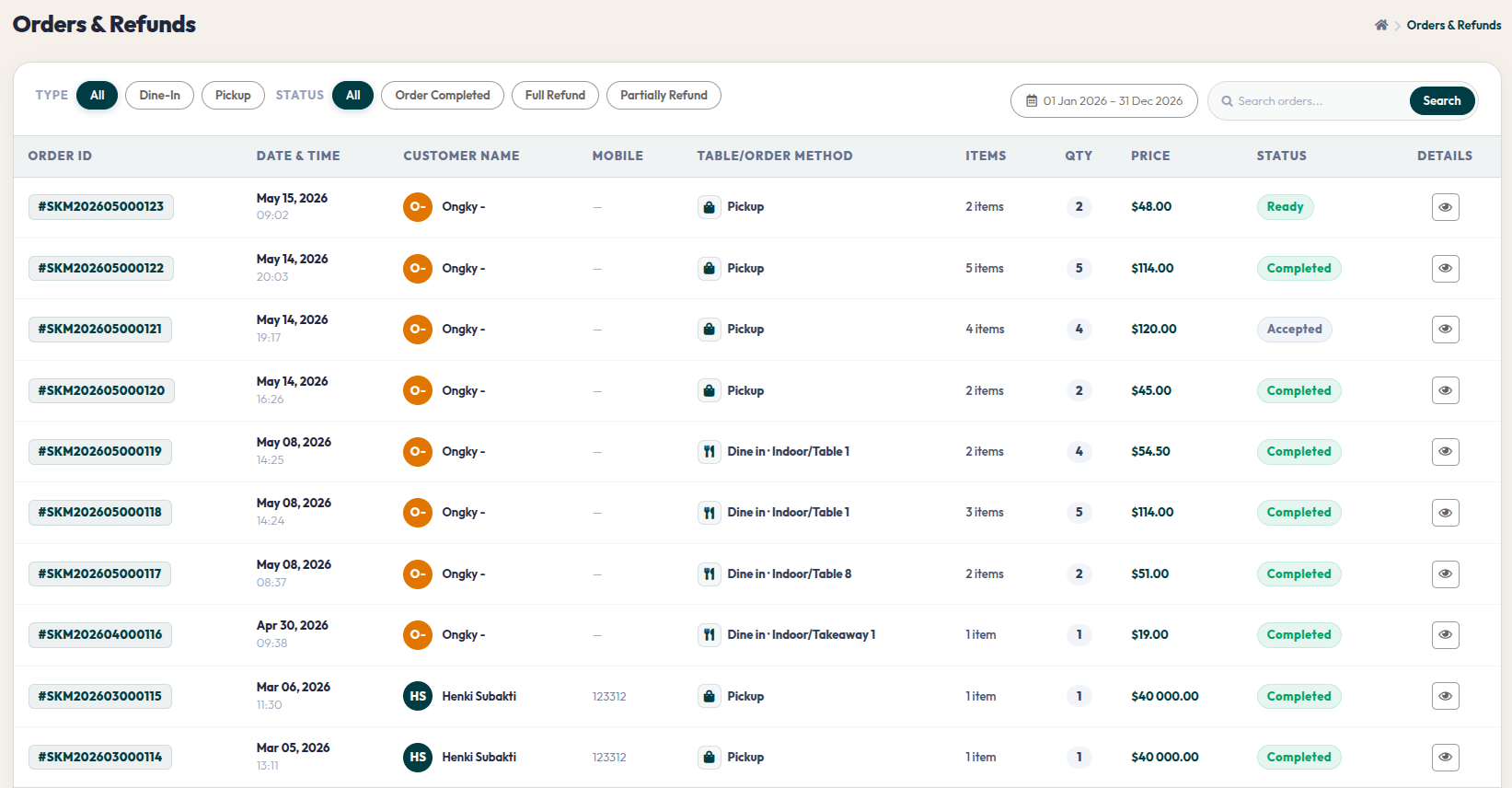
- Go to Orders > Orders & Refunds via the side navigation.
- Use the TYPE filter (Dine In/Pickup) and STATUS filter (Completed/Refund) above the table to sort order types.
- Select a date range on the calendar to pull up order history for specific days or months.
- Click the eye icon (View Details) in the DETAILS column to open the full breakdown of what the customer ordered and their payment status.
With data presented transparently and in detail, you can make more informed business decisions and maintain customer trust at all times. Be sure to review this dashboard regularly to keep every order flow under control.