The General Config setting is the heart of your pickup and delivery operations. This feature gives you full control over kitchen capacity and ordering workflow. The analogy is like setting a doctor's appointment schedule; you determine how many patients (orders) can be handled within a specific time slot so your kitchen isn't overwhelmed and food quality remains consistent for every customer.
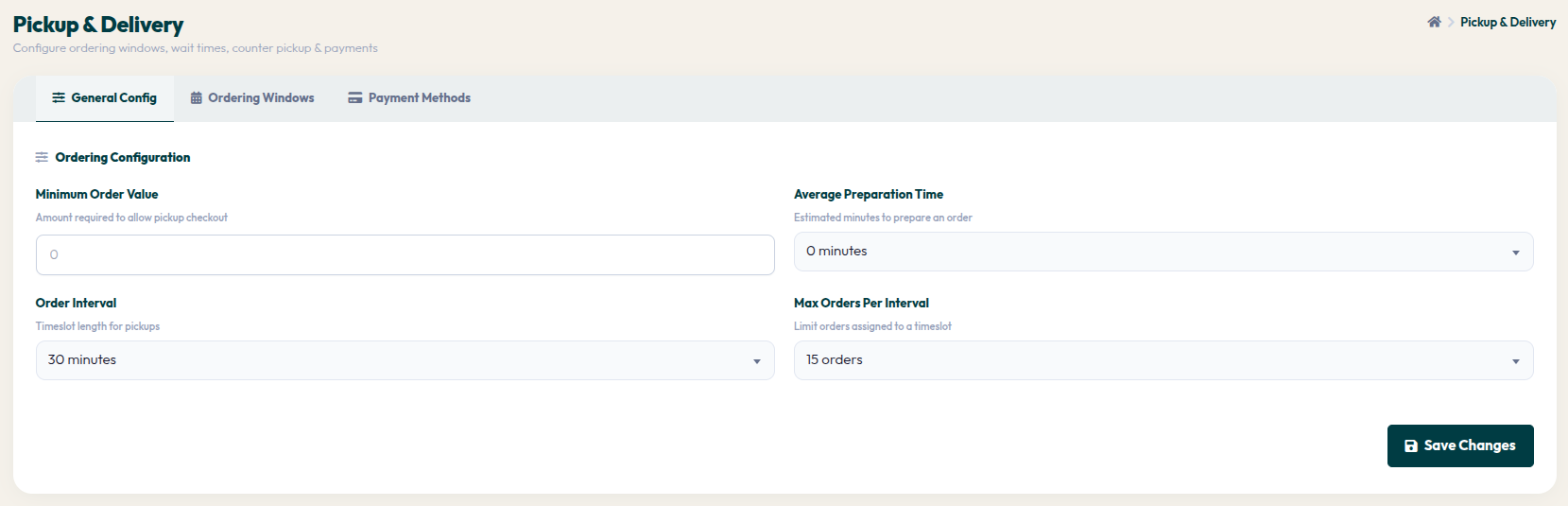
- Go to Orders > Pickup & Delivery, then select the General Config tab.
- Minimum Order Value: Set the minimum purchase amount required for customers to activate the checkout button.
- Average Preparation Time: Determine the estimated time (in minutes) required for the kitchen to prepare an order, helping customers know when their order will be ready.
- Order Interval: Choose the duration of time slots (e.g., 30 minutes) available for customers to select for their pickup time.
- Max Orders Per Interval: Limit the maximum number of orders allowed within a single time slot to keep kitchen performance optimal.
- Click the Save Changes button to save all your new configurations.
By optimizing these capacity settings, you are building a resilient and reliable operational system. This is a key step to ensure every pickup or delivery order reaches the customer in prime condition.