The Payment Methods tab allows you to set the flexibility of how customers settle bills for Pickup or Delivery orders. Think of it as providing various checkout options at a cashier; you can allow fast, automated payments via QRIS/Digital Wallets, or provide a manual transfer option for customers who are more comfortable transacting through banks.
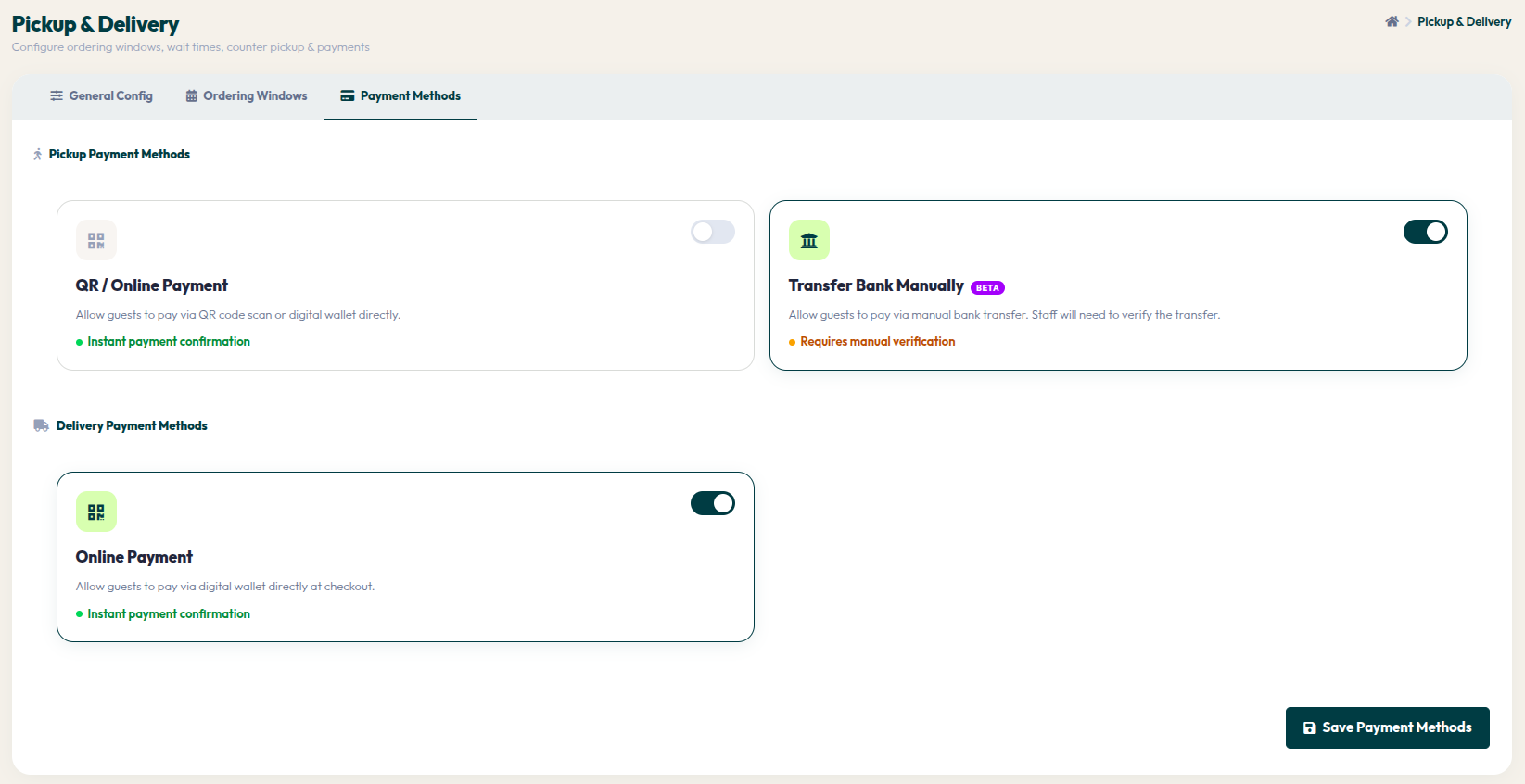
- Go to Orders > Pickup & Delivery, then select the Payment Methods tab.
- Pickup Payment Methods: You can enable QR / Online Payment for instant payment confirmation, or Transfer Bank Manually (Beta) which allows customers to pay via bank transfer, though it requires manual verification by your staff.
- Delivery Payment Methods: Enable the Online Payment toggle to facilitate instant payments via digital wallets when customers checkout their delivery orders.
- Make sure to click the red Save Payment Methods button in the bottom right corner whenever you change settings to apply those updates system-wide.
By offering various payment options, you enhance customer convenience. Choose a combination of methods that best fits your target market and restaurant workflow to ensure a smooth checkout process every time.