The Supplier Master page is your database for managing all vendor and supplier relationships. It keeps essential contact and location information organized for your procurement needs.
1. Managing Your Suppliers
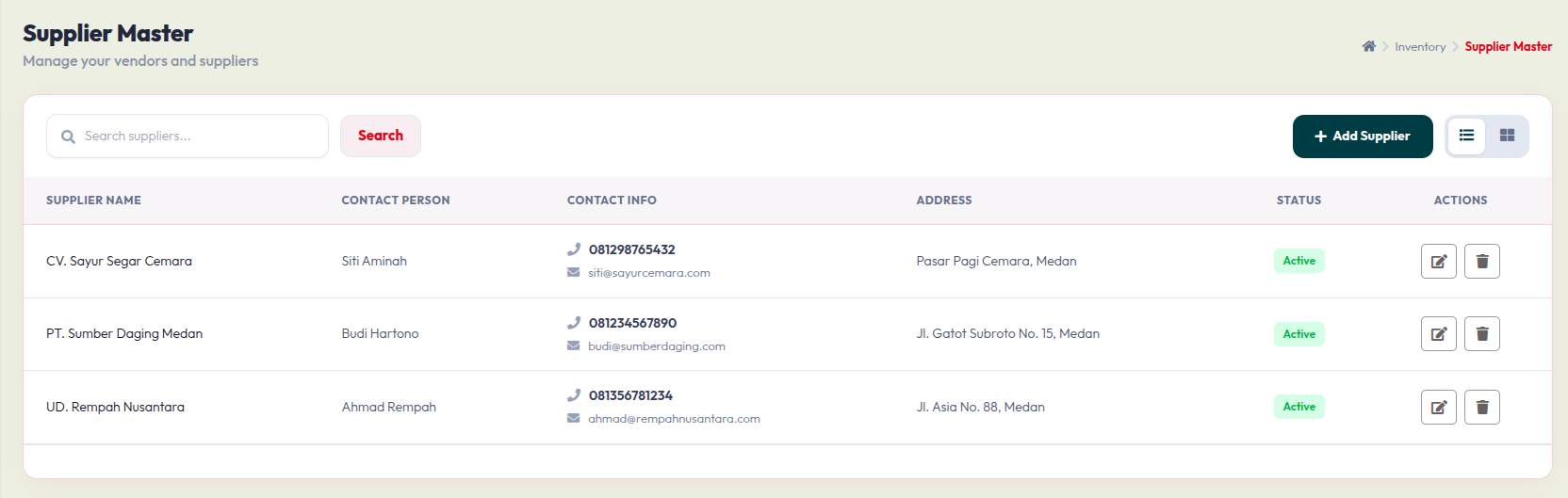
The main dashboard lists your registered vendors:
- Search Bar: Use this to quickly find a specific supplier by name.
- Data Table: Displays the Supplier Name, Contact Person, Contact Info (Phone & Email), Address, and Status.
- Actions:Click the Pencil icon to update supplier details.
- Click the Trash icon to remove a supplier from your list.
2. Adding a New Supplier
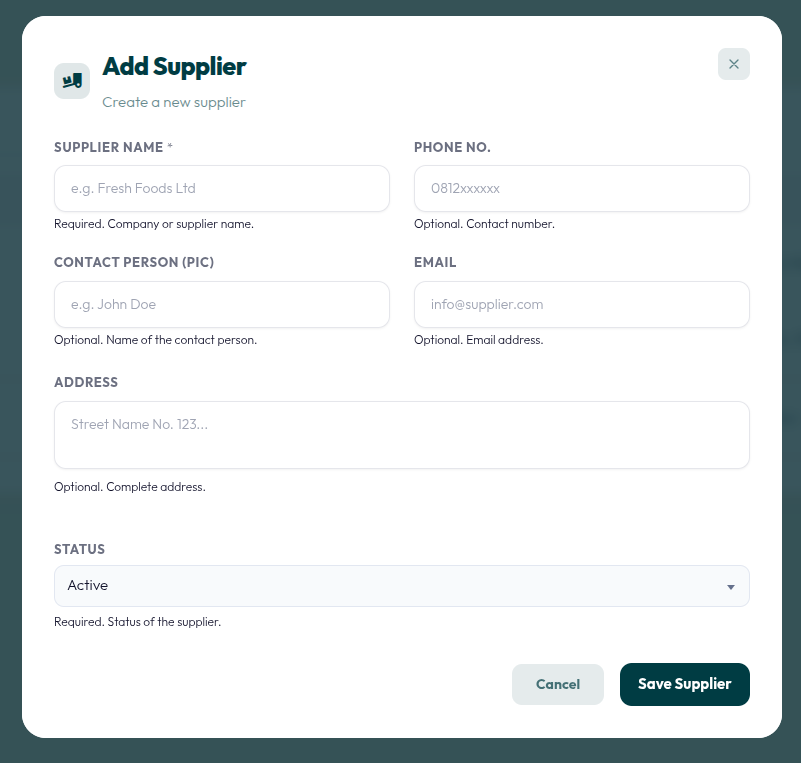
To register a new vendor, click the + Add Supplier button on the top right of the dashboard.
- Supplier Name: Enter the company or supplier name (Required).
- Contact Details: Provide the Phone No., Contact Person (PIC), and Email to ensure easy communication.
- Address: Enter the complete physical address of the supplier.
- Status: Set the supplier as Active or Inactive (Required).
- Click Save Supplier to add them to your database, or Cancel to discard.